Neighborhood
Design System v0.1A component library and design system built completely by me from the ground up. This case study exclusively covers the thinking and decision making behind the v0.1 release. Neighborhood is still under active development, and the system continues to evolve beyond what's documented here.
A small preview of Neighborhood's component library. These aren't screenshots or mockups, but the functional, live components that are packaged and ready to be installed through the GitHub. Explore them!
No results
Try a different search.
Every visual decision is a CSS custom property. Components reference tokens mapped to specific roles — background, border, text, interactive, semantic — rather than raw palette values. This means a developer never picks a hex color; they pick a role. The system currently has six primary token categories: typography, color, spacing, radius, elevation, and motion. This token system was finalized before any components were built.
Every named style is a composite token — family, size, weight, line-height, and tracking are all tokenized (--type-h1-*), with utility classes (.text-h1) layered on top. Space Grotesk for display and headings. DM Sans for body and UI text.
--type-display-*Hero sections, marketing headlines--type-h1-*Page titles, view headers--type-body-*Paragraphs, descriptions, long-form content--type-caption-*Labels, annotations, status indicators11 warm steps mapped to surface, border, and text roles. Approachable, not clinical.
--bg-page, --bg-card, --bg-surfacePage and card surfaces--text-primary to --text-disabledPrimary through disabled--interactive-primary, --focus-ringActions, links, focus+ -hover / -active state tokens--success, --warning, --error, --infoStatus feedback — aliased into the palette+ -hover statesPrimary
Grass Green · 7 steps
--primary-*Primary
Primary actions, success states, call-to-action elements
4 easing curves · 4 durations. Click to compare bracket and landing selection patterns.
18 components in two layers. 11 atomic primitives handle individual interactions and act as building blocks for compositional components. 7 compositional components compose those atoms into reusable patterns. This is where our systems thinking lives.
4 variants · hover, active, focus, disabled, loading states
Appeared 10+ times on a single Notion page. Label + description left, any control right. The slot accepts any atom.
All three products display labeled data differently. One component API unifies them.
4 severity levels. Empty State uses a signature dashed border. Both support action slots.
No projects yet
Create your first project to get started.
Published as @neighborhood/ui. Doc site imports from the package, not local files. This ensures a clean API boundary, and allows our doc site to live as a live consumer of the design system.
Every component has a visible focus ring via :focus-visible. Consistent spec: 2px solid sky-400, 2px offset. Every documented keyboard interaction works.
Atoms compose into reusable patterns. Scroll to watch a settings panel assemble itself from individual components.
Constructing random components to make up the initial pool would leave most of them dead and unused, which is a common problem in design systems. To ensure a strong foundation, the initial component pool was built using 3 pilots as a reference model. I performed an in-depth analysis of Notion, Stripe, and Discord's infrastructure to see which components came up consistently across all 3. From this we could decide what to extract and abstract into our usable component pools. These websites were chosen as a triangle: content tools, data dashboards, and social platforms. This ensures a valuable range of information and core use cases to abstract from.
Discord
Screenshots omitted for privacy
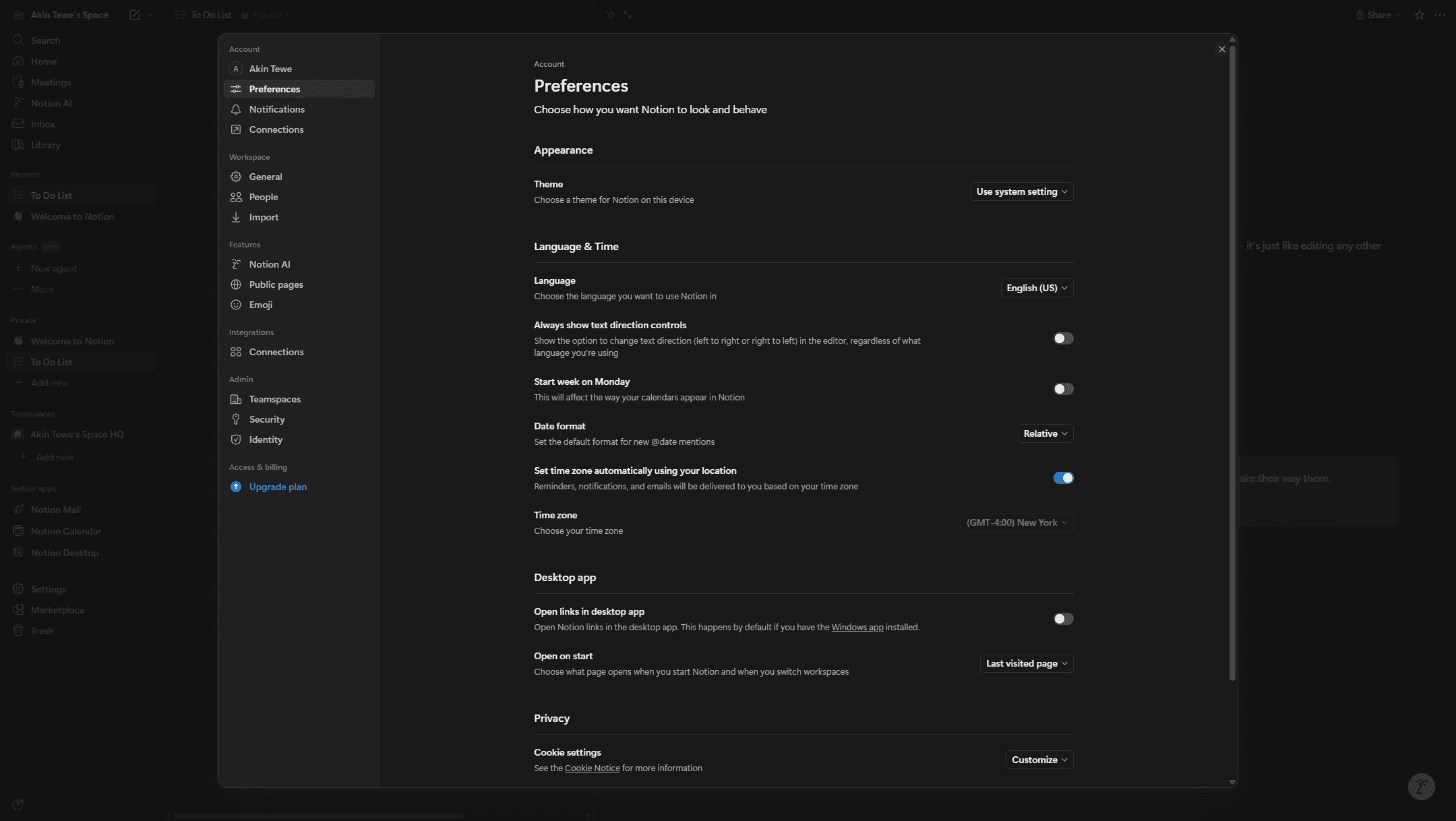
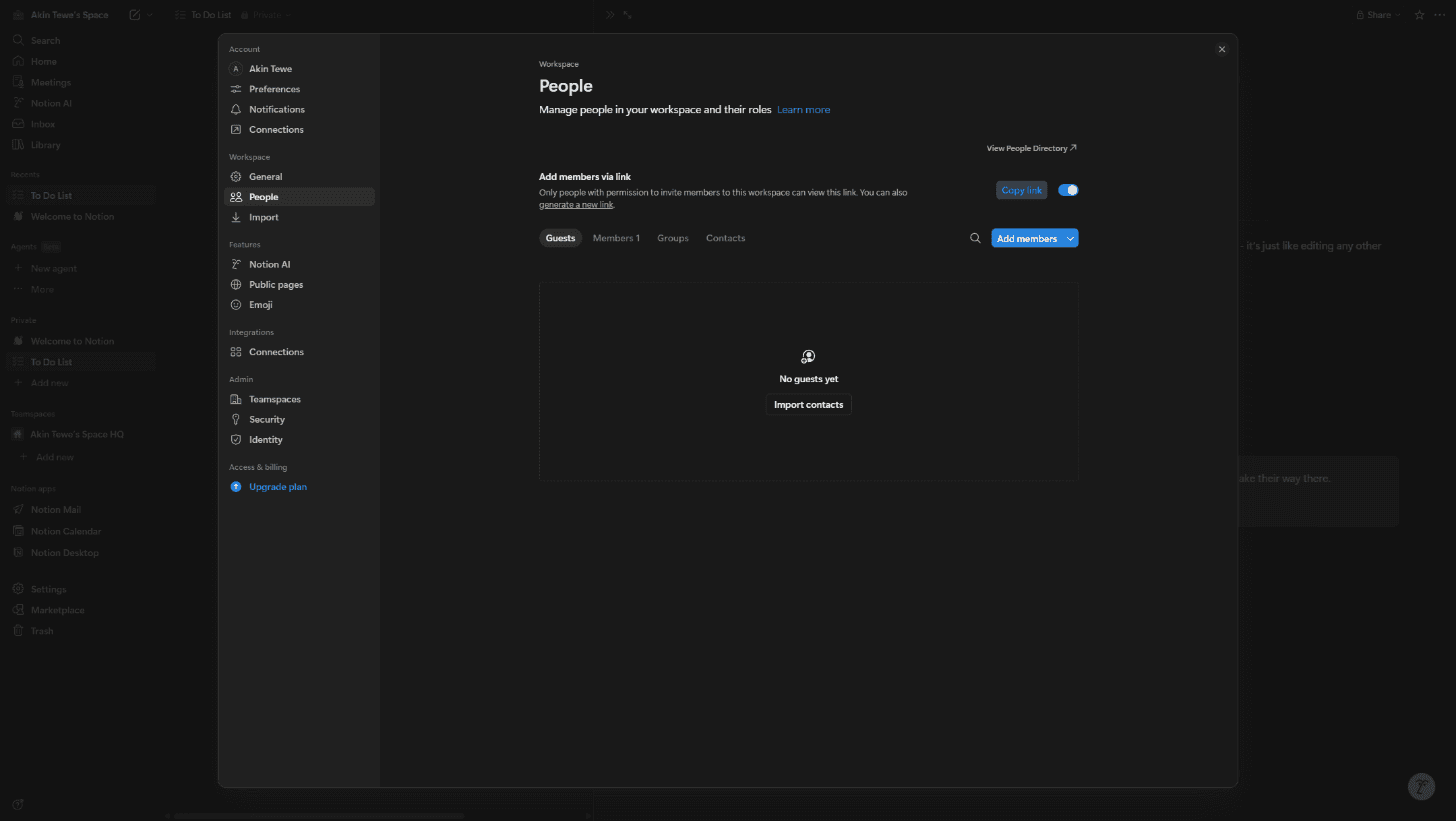
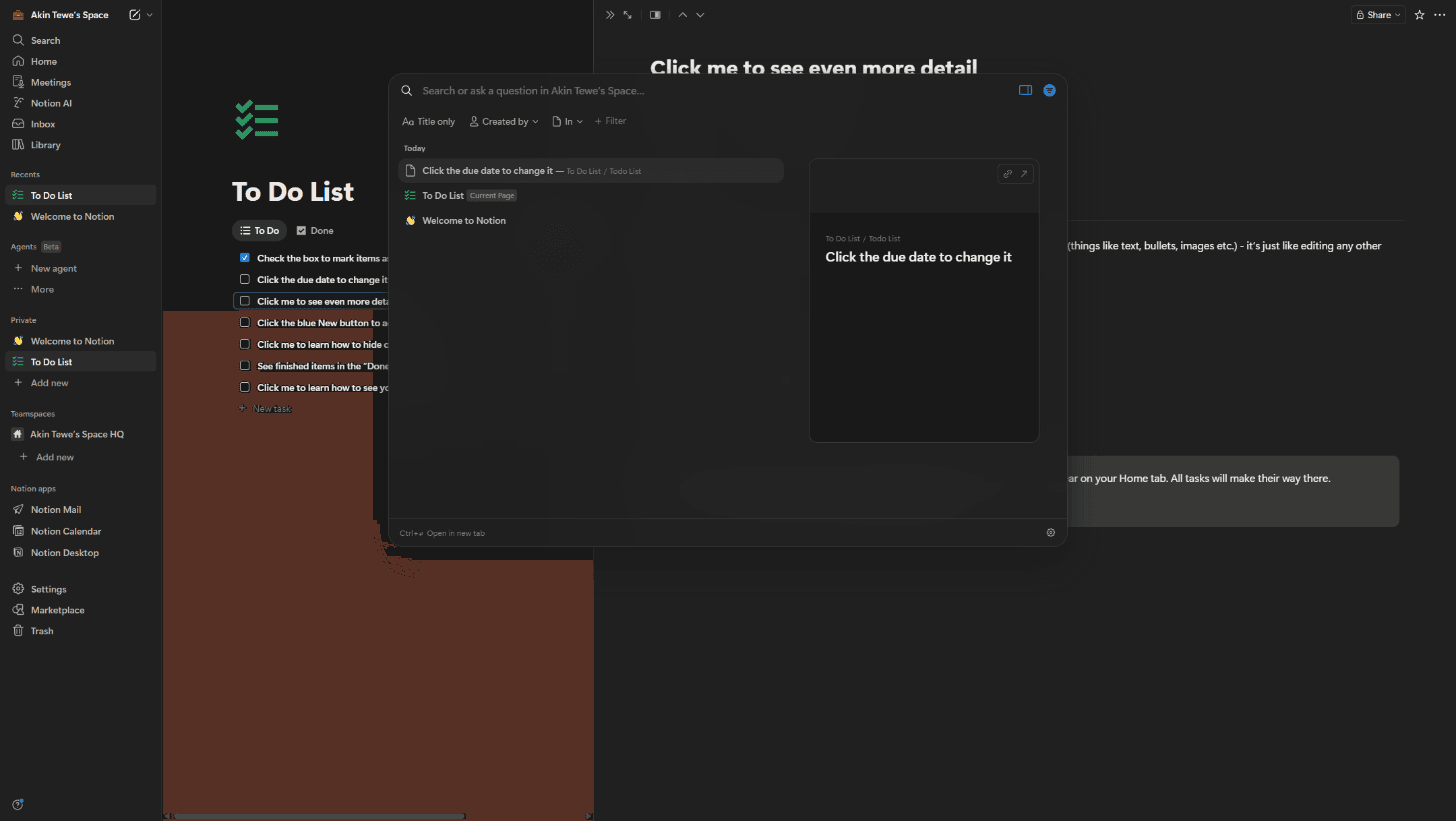
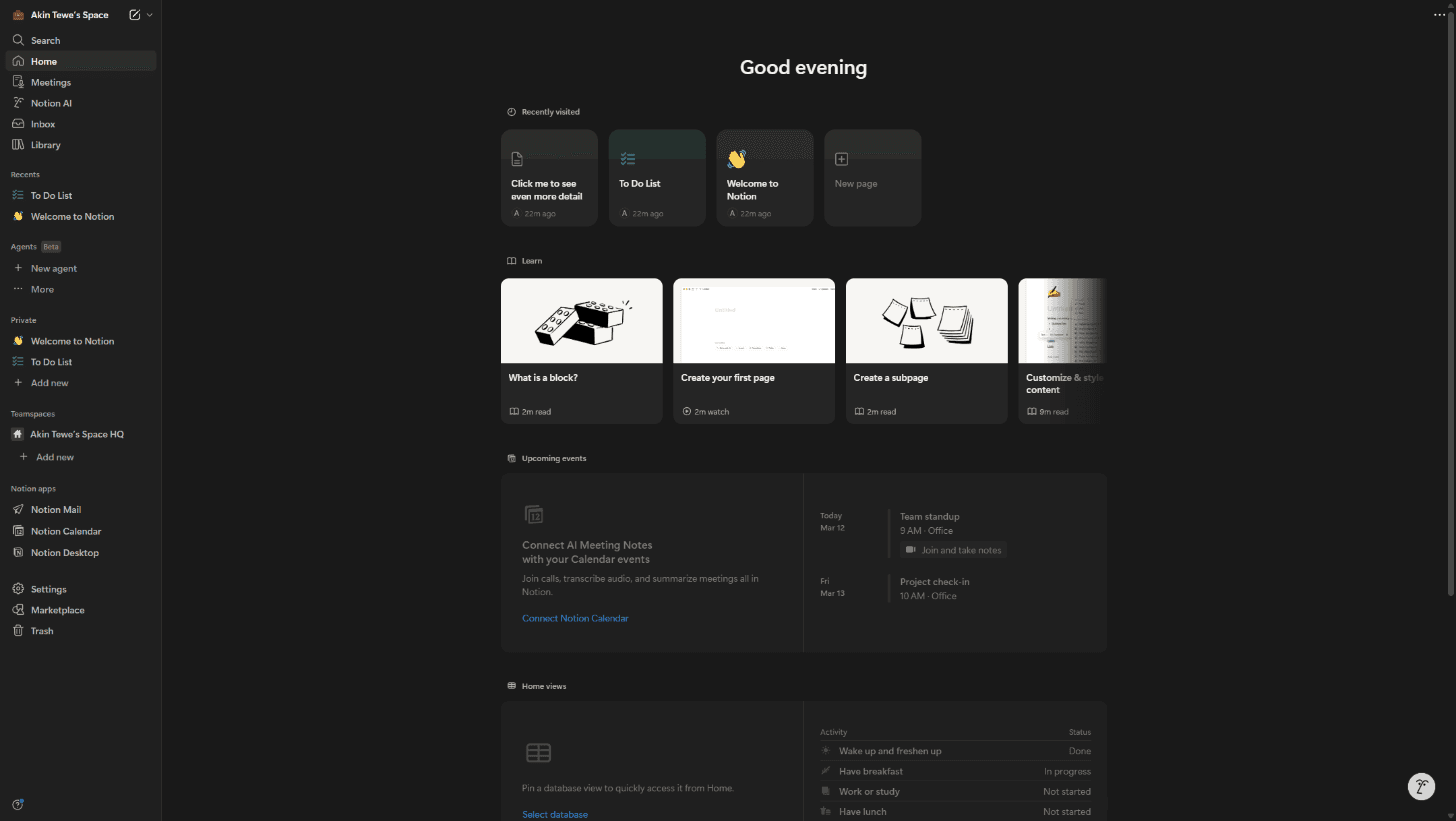
If a component appeared in all three, it was flagged as a non-negotiable addition. Two appearances meant strong consideration. One appearance required a high compositional value to earn inclusion. Among all of our identified components, 18 were picked out thoughtfully in regards to what would best serve Neighborhood's identity.
Every decision to include a component was also an active decision to exclude others. This deliberately tight inventory ensured development time wasn't bogged down with creating dead components, and set the pace on how to prioritize implementation for future development.
Settings architecture alone had three valid approaches. Notion uses a modal overlay, Discord does a full-page takeover, and Stripe uses a card grid hub. Property display had three implementations. Destructive actions used consistently used a red fill throughout most observations. Neighborhood documents this analysis and picks the right approach per context, not per preference.
Toggle appeared in Notion (10+ instances) and Discord but not Stripe. This meant it should still be included because two products confirmed universality. Switcher appeared only in Stripe but its compositional value (filtering data in place without navigating) earned inclusion as a distinctive pattern. A metric card was deliberately excluded from v0.1. It was deemed too specific to data-dense dashboards for a system still establishing its identity.
- • 11 Atomic: Avatar, Badge, Button, Checkbox, Divider, Input, Switcher, Select, Tabs, Toggle, Tooltip
- • 7 Compositional: Banner, Block, Table, Empty State, Form Group, Menu, Property, Setting Row
- • Emerging patterns: fleshed out card system, showcase surfaces, flat strip indicator
- • New components: Command Palette, avatar color props
- • Dark mode via token architecture
- • Messaging + e-commerce demos
Three demo pages, each exercising different composition contexts. These utilize a number of our components in each composition to demonstrate what this design system would look like working in harmony. Switch tabs to see different context demonstrations.
While v0.1 shipped the foundation, several patterns emerged during documentation site development that are already actively shaping the next version.
Patterns observed during doc site construction that are candidates for formal components. Cards, showcase surfaces, and a flat strip indicator (the non-rounded sibling of Banner, purpose-built for unified card compositions) have all been documented and are being evaluated for extraction. Expanded usage guidelines and implementation guidance per component are also in progress.
- • Command Palette (Notion), Profile Card (Discord)
- • Avatar color prop, card system, showcase surfaces
- • Dark mode via token architecture
- • Flat strip indicator, detailed usage + implementation guidelines
- • Doc page layout abstraction
- • Messaging + e-commerce demo pages
Two signature selection patterns have been established. Bracket (primary-400 vertical bars, spring animation) for primary navigation and tabs. Landing (translateY settle with inset shadow) for secondary nav and text-heavy lists. Both are documented with specific motion curves and use-case rules.
CSS-first responsive system with two breakpoints (768px tablet, 640px mobile). Components also include their own mobile behavior. Setting wraps controls, Block hides descriptions, Switcher stacks vertically inside settings. Pages use layout classes and the CSS handles the rest.
Additional demo pages covering messaging and e-commerce contexts are planned to demonstrate wider compositional range. Dark mode implementation via the existing token architecture is also in scope. The CSS custom property foundation means this is just a matter of defining alternate values, not restructuring components.
Tokens use CSS custom properties — they work anywhere CSS works.